





-29%

Includes detachable mount bracket

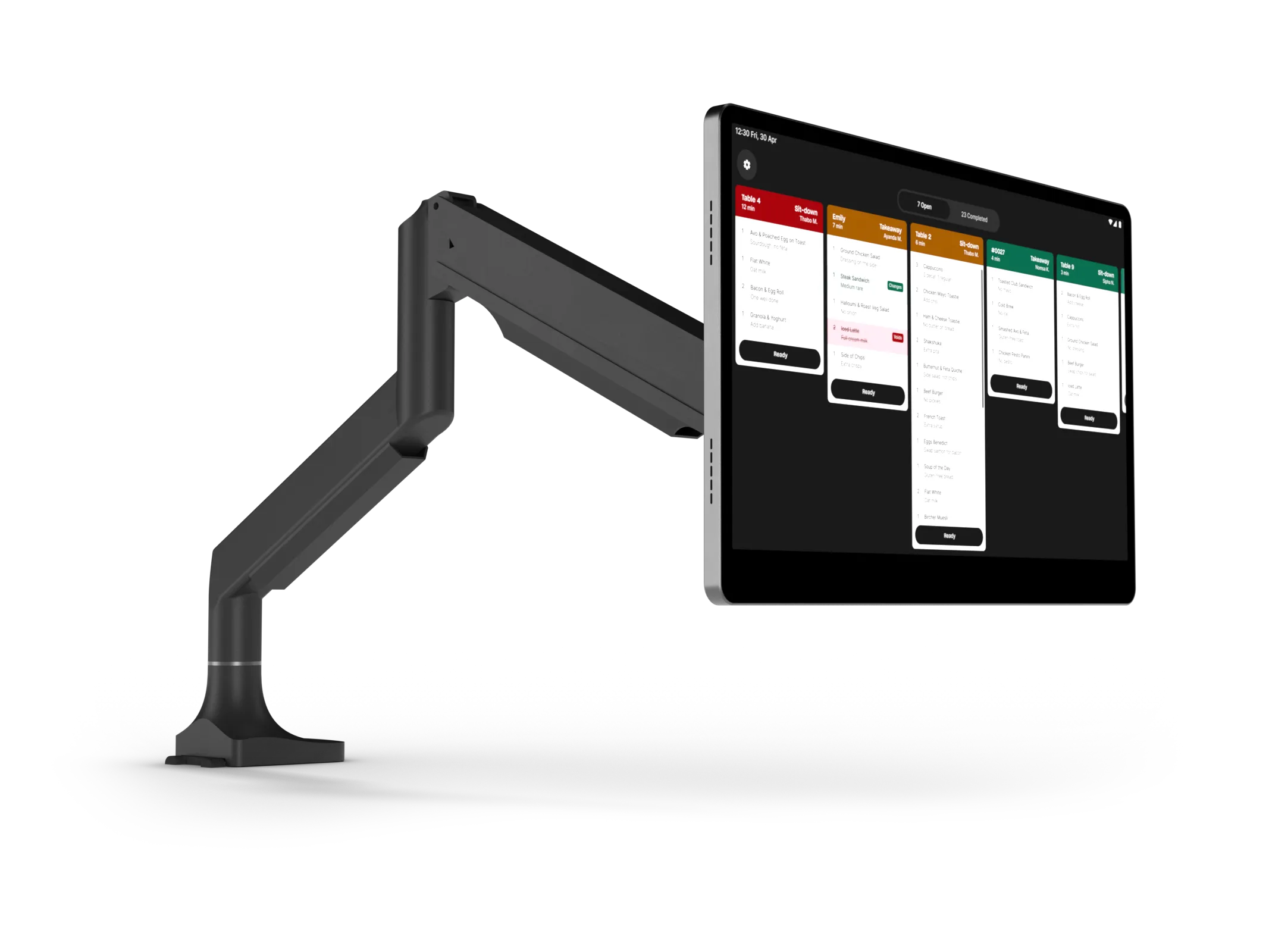
15.6-inch kitchen screen
Works with Yoco Counter
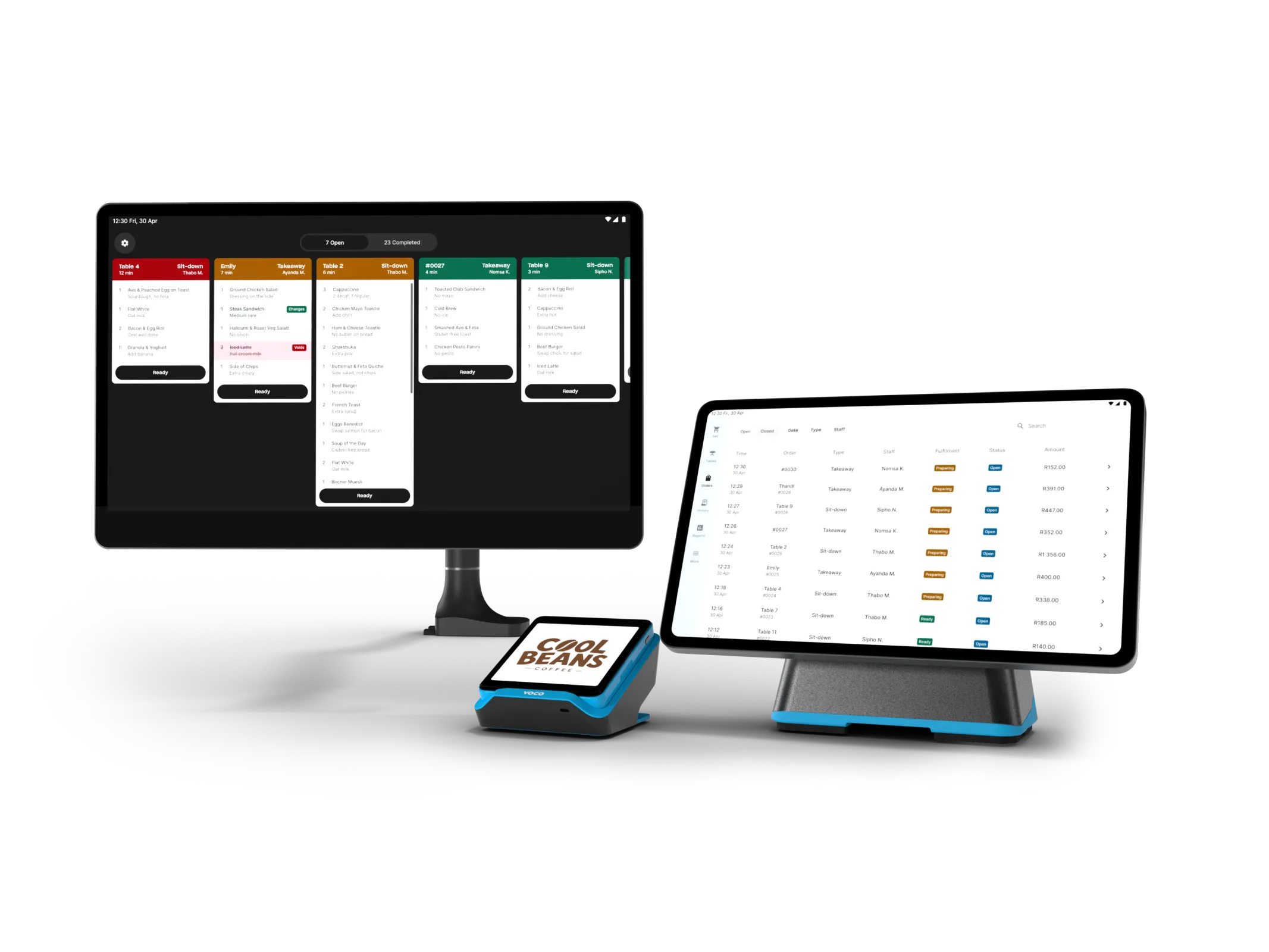
Works with Yoco Khumo Counter bundle
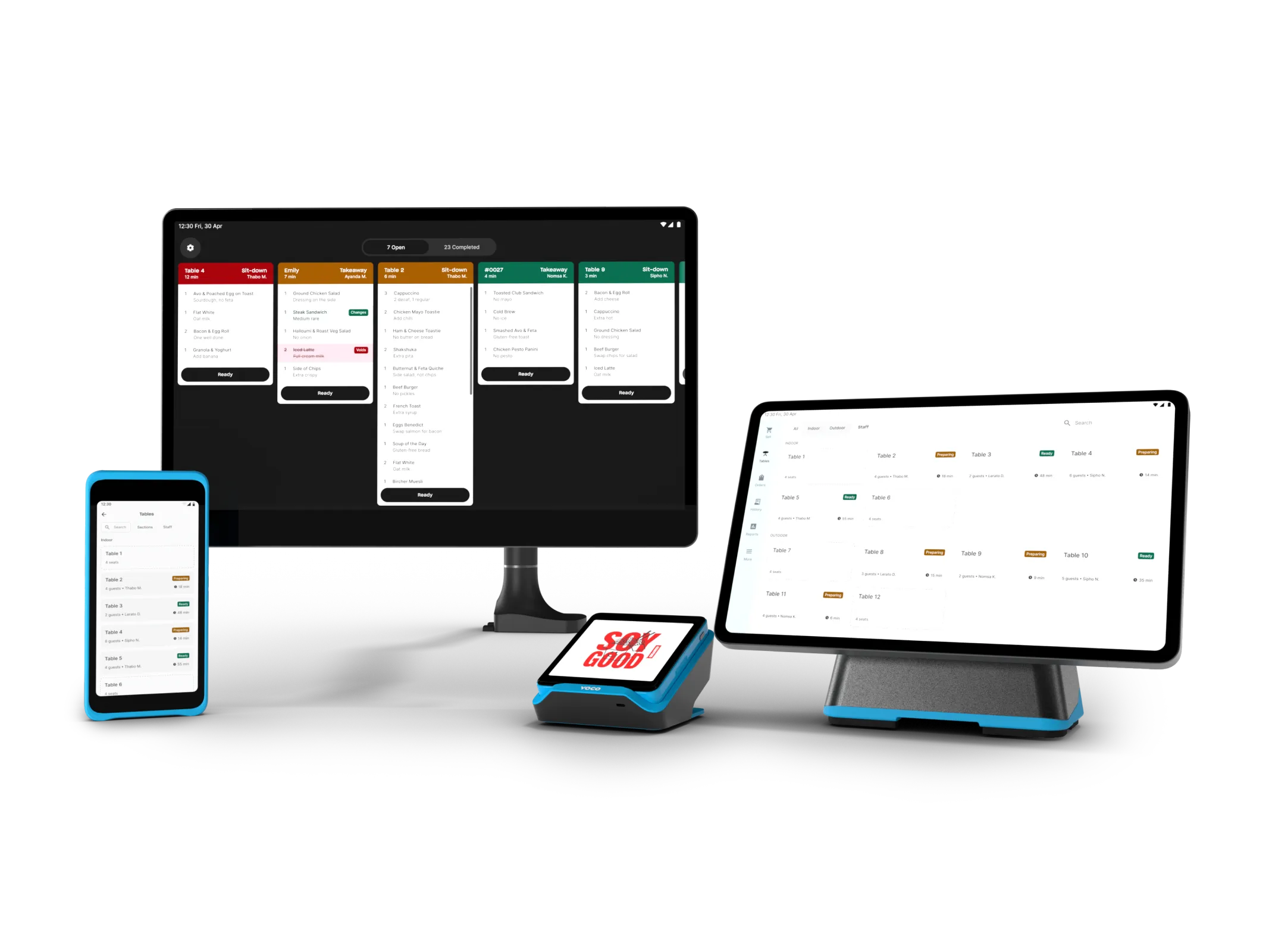
Kitchen Display System
R 4,999
R 6,999
FREE shipping
1 year warranty
30 day money-back guarantee
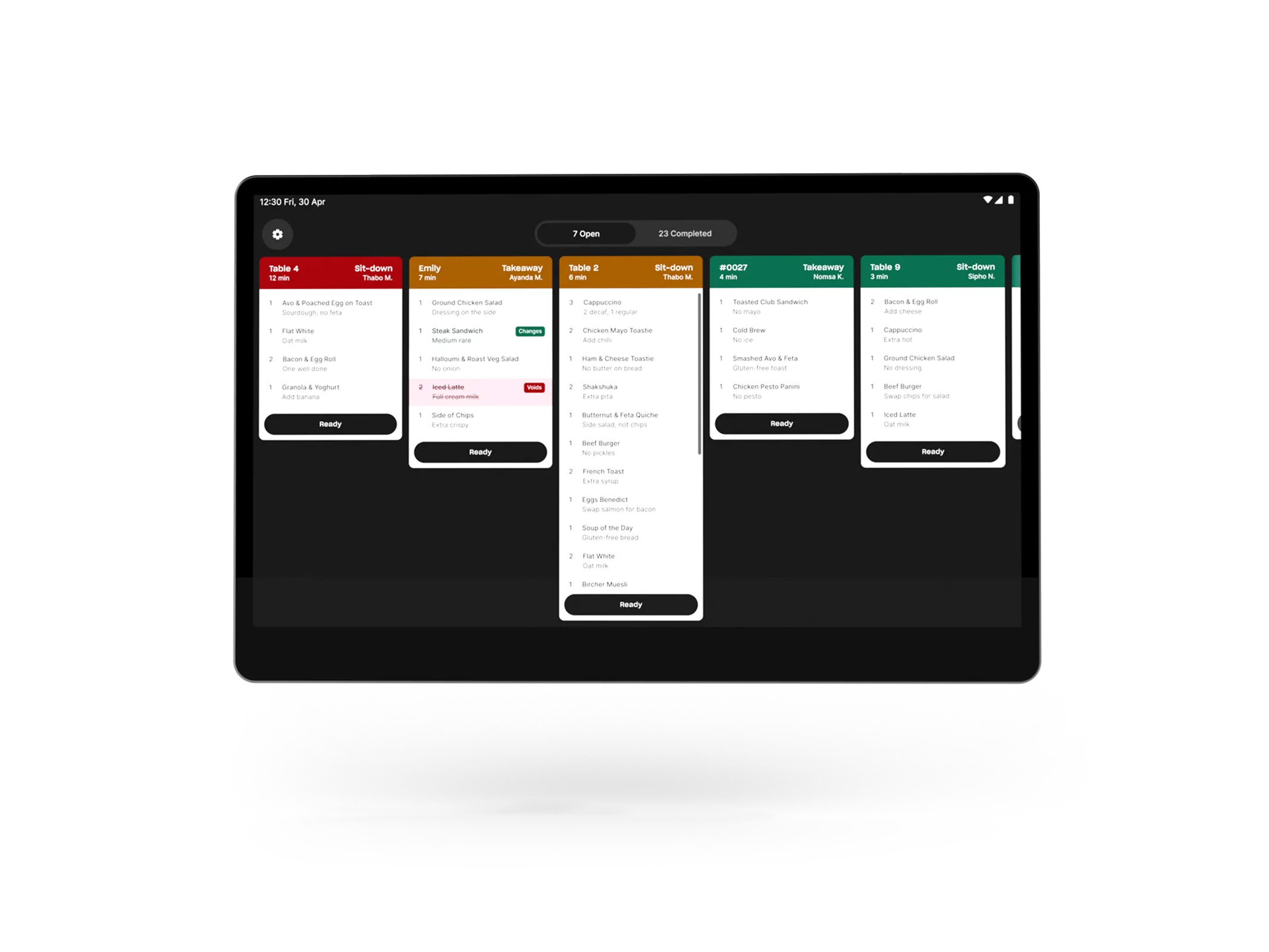
Send every order from Yoco Counter or Khumo straight to a 15.6-inch KDS screen in the kitchen, the second it's rung up. Tickets change colour as they wait, every modifier is included and when the kitchen taps ‘ready’, the front of house sees it straight away.
Works with:
Yoco Counter
Khumo
Plus or Pro Plan
Yoco KDS sends every order straight from your Counter or Khumo to a screen in the kitchen, so food goes out faster, nothing gets lost, and front of house always knows what's ready. Use it alongside your Yoco Printer, or instead of it.

Charge it, log in, done
Log in with your Yoco profile and the screen sets itself up in under 5 minutes. Nothing to change on your Counter or Khumo. Keep it on charge during service so it lasts the whole shift.

Orders land the second they're rung up
Ring it up on Counter or Khumo and the ticket is in the kitchen right away, with items, order type and server.

The oldest order never gets buried
Tickets change colour as they wait. Green is fresh. Amber and red are the ones to get out next.

Every modifier, right there
Oat milk, no onion, sauce on the side. It's under each item, clear on screen. Voided items are struck through and tagged.

Front of house clarity
Tap Ready in the kitchen and the order flips to Ready on the Orders and Tables tabs. Servers check the Counter or Khumo, not the kitchen.

Grows with your kitchen
Plus runs one kitchen screen. On Pro, add a screen for each prep station, like the kitchen and the bar, and every order goes to the right place.
Yes, on the Pro plan. Add a screen for each prep station and every order goes to the right one. The Plus plan includes one kitchen screen.
That's up to you. Use the Kitchen Display System alongside your Yoco Printer, or instead of it.
When the kitchen taps Ready, the order changes to Ready on the Orders and Tables tabs on Counter and Khumo.
Charge the screen, then log in with your Yoco profile. It links to your account and sets itself up in under 5 minutes, with nothing to configure on your Counter or Khumo. It comes with a SIM already fitted, or you can connect it to your Wi-Fi. Keep it on charge during service, as the battery won't last a full day. Our setup guide walks you through it.