

:format(webp))

:format(webp))

:format(webp))


Point of sale hardware explained
Point of sale hardware is the physical equipment used to enter, process and complete a sale. This includes a touchscreen or tablet, card machine, barcode scanner, receipt printer, cash drawer and the cables, stands or network equipment that connect them all. It gives staff a way to enter information, customers a way to pay, and turns digital instructions into physical actions.

:format(webp))
Mari Basson
16 mins
:format(webp))
:format(webp))
Learn
What counts as point of sale hardware?
Point of sale hardware is every physical device you use at or around checkout, from the screen that runs the sale to the cables and stands holding the setup together. Some of it you can't sell without, because it runs the selling interface. The rest is optional and solves other operational needs you may have.
Examples | Physical job |
|---|---|
Main point of sale device Touchscreen terminal, tablet, phone, computer or handheld point of sale. | Main point of sale device Runs the selling interface and accepts staff input. |
Payment device Card machine or integrated payment terminal. | Payment device Captures and processes an electronic payment request. |
Product input Barcode scanner, keyboard or connected scale. | Product input Sends item, quantity or weight information to the point of sale. |
Output device Receipt printer, label printer or order printer. | Output device Turns a digital instruction into a physical printout. |
Cash handling Cash drawer. | Cash handling Stores notes and coins and may open after an authorised cash sale. |
Customer-facing Customer display, payment screen or self-service terminal. | Customer-facing Shows information or accepts customer input. |
Supporting infrastructure Stand, charging dock, router, cables or backup power. | Supporting infrastructure Holds, powers or connects the working setup. |
Hardware group | Examples | Physical job |
|---|---|---|
Main point of sale device | Touchscreen terminal, tablet, phone, computer or handheld point of sale. | Runs the selling interface and accepts staff input. |
Payment device | Card machine or integrated payment terminal. | Captures and processes an electronic payment request. |
Product input | Barcode scanner, keyboard or connected scale. | Sends item, quantity or weight information to the point of sale. |
Output device | Receipt printer, label printer or order printer. | Turns a digital instruction into a physical printout. |
Cash handling | Cash drawer. | Stores notes and coins and may open after an authorised cash sale. |
Customer-facing | Customer display, payment screen or self-service terminal. | Shows information or accepts customer input. |
Supporting infrastructure | Stand, charging dock, router, cables or backup power. | Holds, powers or connects the working setup. |
Is point of sale hardware the same as point of sale software?
No. point of sale hardware is the physical equipment. Point of sale software is the application, rules and data that devices run on or that connects those devices.
Hardware does this | Software does this |
|---|---|
An item is scanned The scanner reads and sends the barcode. | An item is scanned The point of sale matches the code to a product and price. |
POS A card is tapped The payment device reads the payment credential. | POS A card is tapped Payment services request authorisation and return a result. |
A receipt is printed The printer puts ink or heat onto paper. | A receipt is printed The point of sale creates the receipt content and sends the print job. |
Cash is accepted The drawer stores the cash. | Cash is accepted The point of sale records the payment method and calculates change. |
A report is opened A screen displays it. | A report is opened The software calculates the view from stored records. |
At checkout | Hardware does this | Software does this |
|---|---|---|
An item is scanned | The scanner reads and sends the barcode. | The point of sale matches the code to a product and price. |
POS A card is tapped | The payment device reads the payment credential. | Payment services request authorisation and return a result. |
A receipt is printed | The printer puts ink or heat onto paper. | The point of sale creates the receipt content and sends the print job. |
Cash is accepted | The drawer stores the cash. | The point of sale records the payment method and calculates change. |
A report is opened | A screen displays it. | The software calculates the view from stored records. |
Hardware alone doesn't make a task possible - the software still needs to support it. A device can scan, print, or connect to a network, but the point of sale system has to work with that device for it to be valuable.
Point of sale hardware components
Point of sale hardware usually includes: the point of sale device, card machine, barcode scanner, receipt/order printer, cash drawer, customer display, scale, kitchen display, plus the network, power and mounting gear that connects them all.
The central point of sale device
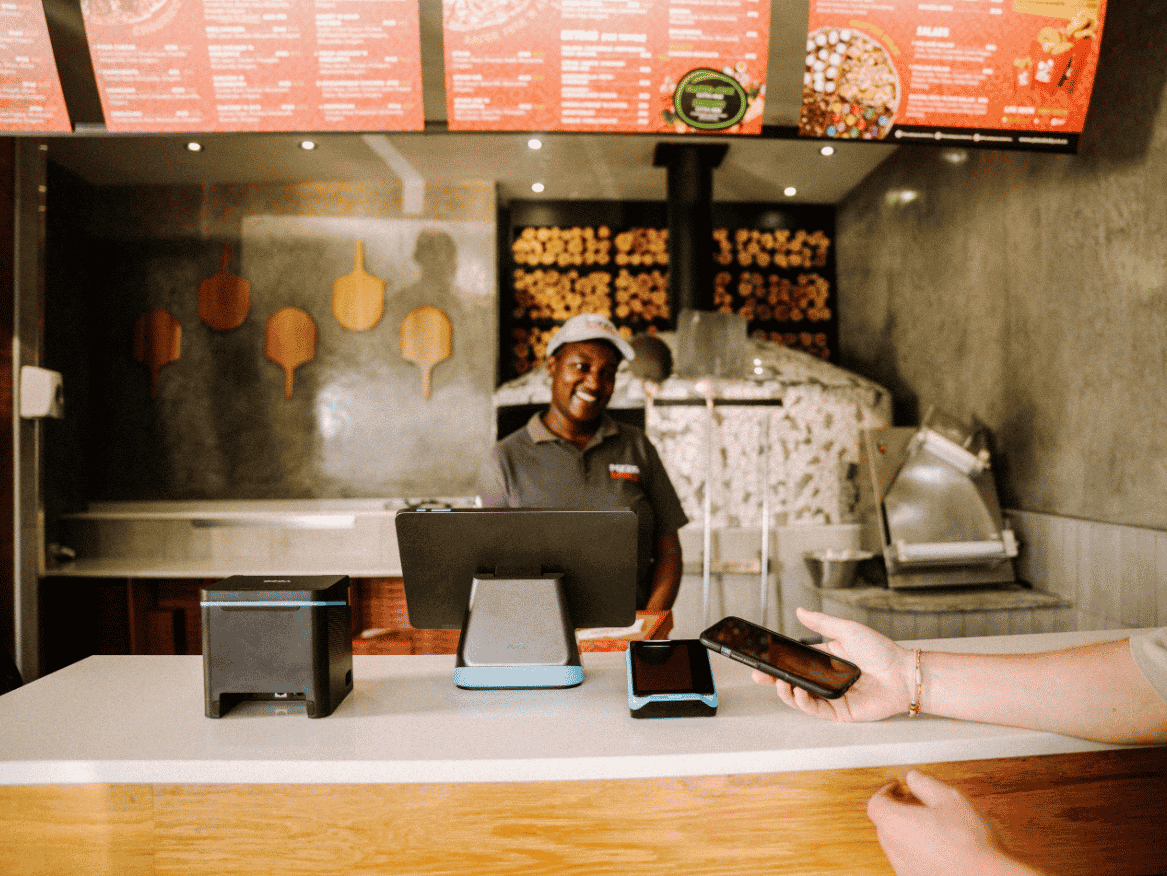
The primary device runs the checkout interface. Your staff use it to start a sale, select products, enter quantities, review the total and record how the customer pays.
It can be a countertop terminal, tablet, smartphone, computer, handheld device, or kiosk. The format matters beyond just screen size - it affects where staff can use it, how much counter space it needs, whether it needs to stay plugged in, and what accessories it supports.
Card machine or payment terminal
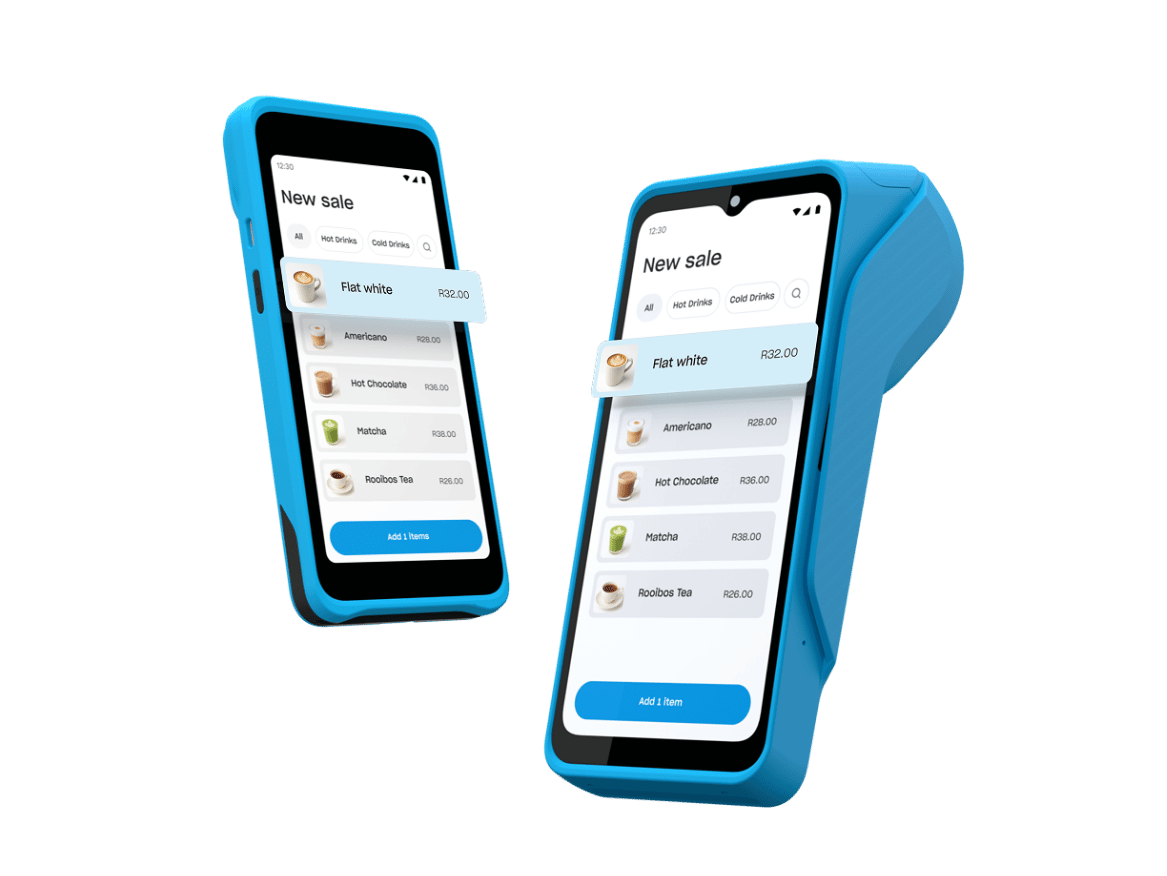
A card machine is the hardware that captures an electronic payment. It may read contactless cards and wallets, chip cards or other supported payment methods. The payment device can work on its own, with your staff entering the amount separately, or connected to the point of sale, which sends the amount and receives the result, automatically.
In some setups, the card machine can double up as a table side ordering device that connects to the central point of sale device.
Barcode scanner

A barcode scanner reads the code printed on a product or a label and sends that code to the point of sale software. The software then searches for a matching product record. Scanning cuts out searching through a product list or typing a code by hand.
The scanner doesn't hold the product's price or stock quantity. The barcode has to be linked to the correct item in your point of sale catalogue. Common formats include handheld scanners, presentation scanners that stay on the counter, and scanners built into another device.
For the deeper product-identification process, read how point of sale barcode scanners work.
Receipt or order printer
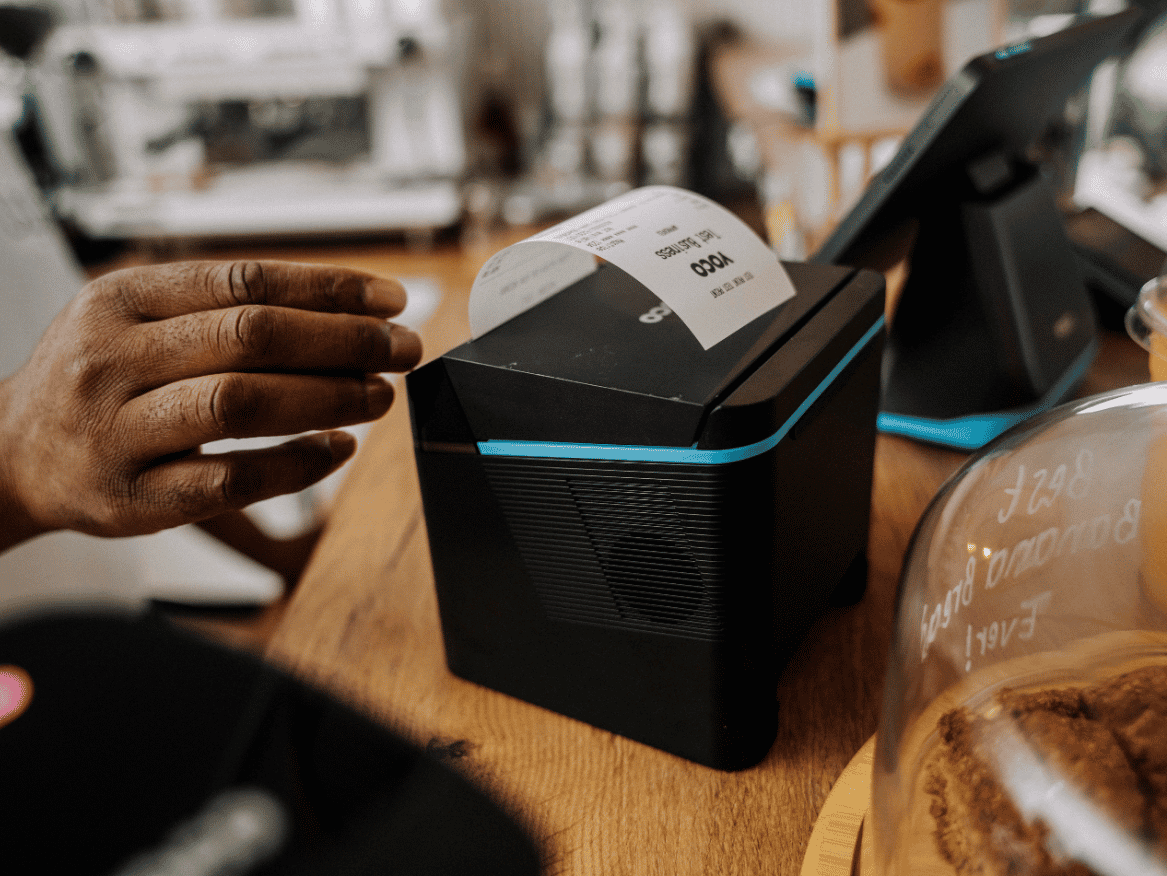
A point of sale printer produces a physical record from information sent by the software. It may print customer receipts, itemised bills, order slips, kitchen or preparation tickets, collection labels or end-of-day summaries.
A receipt printer and an order printer may use similar hardware while serving different workflows.
Cash drawer
A cash drawer stores notes, coins and other physical tender. South Africa still runs a large cash economy, particularly in townships and informal markets, so a setup that records card sales may miss a significant part of your sales.
The drawer can open manually, by key, or via a signal from the point of sale or receipt printer, but it doesn't count cash or verify it matches sales. You still need a process for floats, change, refunds and end-of-day counting or reconciliation.
Customer display

A customer-facing display shows what's being rung up - items, running total, amount due, payment prompts - so customers can follow along as their order is out together, not just see the final number at the end.
Connected scale
If you sell products by weight, a connected scale sends the measured quantity to the point of sale and the software applies the relevant price or product rule to that measurement. Not every digital scale can connect to every point of sale.
Kitchen display
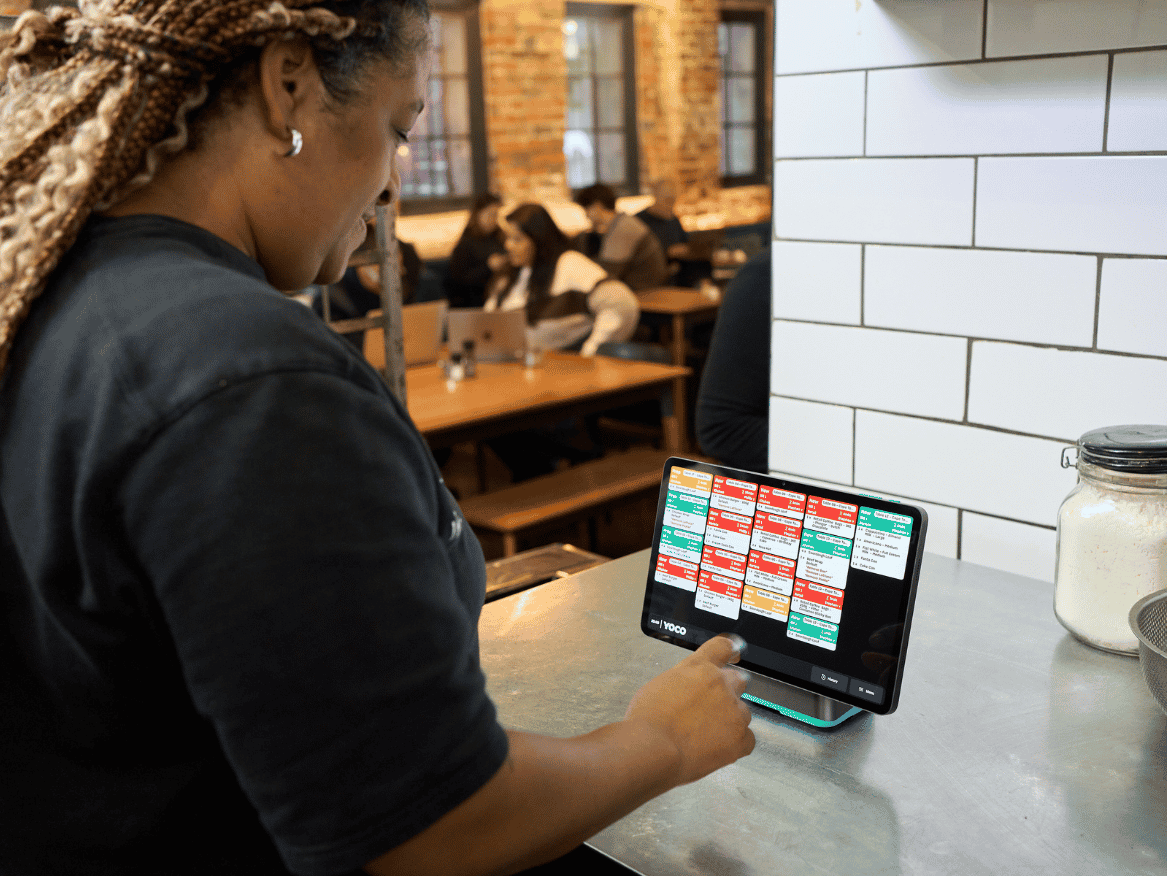
A kitchen display system replaces or supplements printed order slips with a screen in a preparation area. The screen is the hardware, and the queue, order status, timing and routing are software.
This equipment can suit restaurants, takeaways and other businesses where checkout and preparation happen in different places.
Routers, stands and backup power
Routers, switches, charging docks, cables, stands and backup power rarely make it into a product demo - but they're what determine whether the whole setup actually holds up through a full day of trading.
How point of sale hardware components connect
Point of sale hardware components, or devices, connect over USB, Bluetooth, Ethernet, Wi-Fi or mobile data, and the connection has to carry information reliably for a full trading day. A plug or a wireless signal is one part of compatibility. Your point of sale software has to recognise the device and support the action you expect from it.
Common uses | Questions to check |
|---|---|
USB Scanners, printers, scales and other fixed accessories. | USB Port type, cable length, drivers and available ports. |
Bluetooth Portable scanners, printers and payment devices. | Bluetooth Supported pairing, range, battery use and reconnection behaviour. |
Ethernet Fixed terminals, printers and kitchen equipment. | Ethernet Cable routes, available network points and router or switch capacity. |
Wi-Fi Tablets, countertop devices, printers and displays. | Wi-Fi Coverage, network stability, password changes and guest-network restrictions. |
Mobile data Handheld point of sale and payment devices. | Mobile data Network coverage, SIM arrangement, data inclusion and fallback behaviour. |
Connection | Common uses | Questions to check |
|---|---|---|
USB | Scanners, printers, scales and other fixed accessories. | Port type, cable length, drivers and available ports. |
Bluetooth | Portable scanners, printers and payment devices. | Supported pairing, range, battery use and reconnection behaviour. |
Ethernet | Fixed terminals, printers and kitchen equipment. | Cable routes, available network points and router or switch capacity. |
Wi-Fi | Tablets, countertop devices, printers and displays. | Coverage, network stability, password changes and guest-network restrictions. |
Mobile data | Handheld point of sale and payment devices. | Network coverage, SIM arrangement, data inclusion and fallback behaviour. |
Compatibility works on four levels:
Physical - the plugs and ports actually fit.
Device - the two devices can talk to each other.
Software - your point of sale system recognises the device.
Workflow - the whole setup gets the job done under real trading conditions.
Don't just check for a "connected" indicator. Test the actual workflow end to end.
Should you get all-in-one hardware or separate devices?
An all-in-one device combines more than one hardware component in a single unit, and a modular setup uses a separate device for each job. Neither is automatically better.
What do you get from an all-in-one device?
Potential advantages are fewer cables, less counter space and a simpler setup. The trade-off is that one failure or replacement can affect more than one function at once.
What do you get from separate devices?
A modular setup makes it easier to pick equipment around a specific workflow, and to replace one part without changing the whole setup. It also creates more compatibility points, cables, power requirements and devices to manage.
Many businesses use a mixed setup, with a fixed main station and portable devices for extra staff.
Common point of sale hardware setups
Three setups are common: one handheld device that does everything, a fixed countertop station, and a multi-station setup that mixes the two.
For the trade-offs between the first two, read handheld vs countertop point of sale.
When does one handheld device do the job?
A portable device runs the point of sale software and accepts payment. It suits you if you sell on the move, have limited counter space, or take orders and payments where the customer is standing. Check battery life, charging, mobile and Wi-Fi connectivity, screen size, drop protection and whether printing is built in, external or unnecessary.
When do you need a fixed countertop setup?
A screen or terminal stays at a main checkout point, often with a separate payment device and an optional printer, scanner or cash drawer. It suits you if you have a defined service counter, a detailed product or menu view, cash to handle or a steady queue.
When do you need more than one station?
A central counter works with extra terminals, handheld devices, printers or preparation screens. Confirm whether the devices share the same products and settings, what happens when two people change the same order, where each print job goes, and whether the network can carry the full setup at busy times.

:format(webp))
The minimum point of sale hardware a business needs
At minimum, you need something to run the point of sale interface and a way to accept payments - that can be one device or split across two. Add anything else only when it solves a real, recurring problem in your business:
Scanner - when picking items by hand is slowing checkout or causing mistakes.
Printer - when customers, kitchen or your processes need paper.
Cash drawer - when you handle cash at a fixed station.
Extra selling device - when more than one person needs to serve customers at once.
Customer display - when it would make checkout easier or clearer for customers.
Network or backup power - when a dropout would break a workflow you rely on.
A tip: begin with the sale that happens most often, then add the exceptions your setup has to handle.
Two other South African realities decide the rest:
Load shedding means a device with its own battery keeps selling when there is no power, and a fixed terminal on mains power does not.
Mobile coverage means a device that takes a SIM keeps selling where the Wi-Fi drops.
How to choose point of sale hardware
Start with where the sale happens. Map the physical journey from the first item or order to payment and fulfilment. The hardware should follow your workflow.
Measure the busiest period. Estimate how many staff need to sell, how many transactions pass through the busiest hour and where queues form.
Decide what customers and staff must handle. List every physical action in a typical sale and identify which device enables each action.
Consider your environment. Consider counter space, heat, moisture, dust, spills, available power, Wi-Fi and mobile coverage, lighting, screen visibility, and the risk of drops, knocks or theft.
Confirm compatibility before buying. Ask the point of sale provider for supported models and connection methods. Record the exact model number rather than assuming that every product in a hardware category will work.
Test a real sale and its exceptions. Run the most common sale from start to finish. Then test the moments that expoint of salee hardware weaknesses: an unrecognised barcode, a printer with no paper, a declined card payment, a flat battery, two staff selling at once, a power interruption.
Consider power, connectivity and business continuity. Power and internet connection are separate dependencies. A device can have battery power but no network connection, or a working network while a fixed terminal has no electricity.
What to confirm |
|---|
Power fails Which devices have batteries or backup power, and for how long. |
Wi-Fi fails Whether devices can use mobile data, another network or an approved offline mode. |
A portable device goes flat Where it charges and whether another device can take over. |
A printer stops Whether a digital receipt or alternative print destination is available. |
A cable or accessory fails Whether a spare is held and who can replace it safely. |
A device is lost or damaged How access is blocked and how the setup continues. |
Event | What to confirm |
|---|---|
Power fails | Which devices have batteries or backup power, and for how long. |
Wi-Fi fails | Whether devices can use mobile data, another network or an approved offline mode. |
A portable device goes flat | Where it charges and whether another device can take over. |
A printer stops | Whether a digital receipt or alternative print destination is available. |
A cable or accessory fails | Whether a spare is held and who can replace it safely. |
A device is lost or damaged | How access is blocked and how the setup continues. |
An offline claim should be tested at task level. Building an order, accepting a card, recording cash, printing and synchronising later can have different requirements.
Point of sale hardware cost
Point of sale hardware is bought, rented, bundled with software or payments, or it’s included in a service plan. Remember, the advertised price is only part of the cost. Consider the true cost of a mismatch too. Cheap hardware that your point of sale doesn't support adds manual work or needs replacement. Overpowered equipment ties up money and counter space without improving service.
Learn about the total cost of owning a point of sale system.
Common point of sale hardware selection mistakes
There are six common mistakes to avoid: buying a device before checking software support, assuming more hardware means a better point of sale, treating a successful test print as full compatibility, ignoring cables, charging and counter space, planning for normal trading only, and mixing suppliers without assigning support ownership.
Buying a device before checking software support. It might connect fine but still not be usable by your point of sale. Check the provider's supported hardware list first.
Assuming more hardware means a better setup. Every extra device adds power, connections, maintenance and training. Only add what actually solves a problem you have.
Trusting a test print or scan as proof it all works. A printer can be "connected" and still get the wrong orders; a scanner can read a barcode and still ring up the wrong product. Test the real transaction end to end.
Ignoring cables, charging and counter space. A setup can be technically fine and still be awkward or unsafe to use. Plan out plugs, cables, charging points and staff movement before you install anything.
Only testing under normal conditions. Hardware problems tend to surface when you're busiest. Test with queues, multiple users at once, power cuts, weak signal and low consumables.
Mixing suppliers without agreeing who owns support. If your terminal, printer, network and software come from different providers, agree upfront who takes responsibility when something breaks between them.
Point of sale hardware evaluation checklist
Before choosing a setup, answer these questions:
Where do staff take orders, enter products and accept payment?
Which device will run the main point of sale interface?
Does the business need a fixed counter, handheld devices or both?
Which payment methods must the hardware accept?
Are products selected from a screen, scanned or weighed?
Are printed receipts, bills, labels or preparation slips required?
Does the business accept cash, and how will it be controlled?
How many staff members need to sell at the same time?
Which devices and exact models does the point of sale provider support?
How will each device connect, charge and remain secure?
What happens when power, Wi-Fi, mobile data or Bluetooth fails?
Are spare paper, cables, chargers or backup devices needed?
Who installs, configures and supports the complete setup?
What is covered by the warranty, and how quickly can failed hardware be replaced?
What is the full first-year and ongoing cost?
:format(webp))
:format(webp))
:format(webp))
:format(webp))