

:format(webp))

:format(webp))

:format(webp))


Card machines explained
A card machine is a device that takes electronic payments from your customers. It reads a physical card or digital wallet, sends the payment to your provider for authorisation and shows you the result. In South Africa, card machines accept debit cards, credit cards and contactless payments such as Apple Pay and Samsung Pay.

:format(webp))
Mari Basson
Sep 18, 2026
11 mins
:format(webp))
:format(webp))
Learn
What is a card machine?
A card machine is a physical device that lets your business accept electronic payments in person. Your customer presents a debit card, credit card or supported digital wallet, and the machine communicates with your payment provider to authorise the payment.
The terms card machine, payment terminal, card reader and card device are used across the industry for similar equipment. In South Africa, "card machine" is the term most small and growing businesses use.
A card machine can work on its own or as part of a larger point of sale setup. Either way, its job is taking payments. Recording what was sold, tracking stock and reporting is typically done by a point of sale system.
Types of card machines available
Card machines come in five formats: countertop, portable, mobile, a card machine that also runs point of sale software, and a phone app that takes contactless payments. The right type depends on where you take payments and how much you need the device to do beyond accepting a card.
How the customer pays | Best suited to |
|---|---|
Countertop A fixed device connected to power and a network at a checkout point. | Countertop Retail shops, restaurants and service counters with a permanent till or checkout point. |
Portable A wireless device that connects via Wi-Fi or Bluetooth within a building or location. | Portable Table service in restaurants, queue-busting at busy counters. |
Mobile A device with its own SIM card and battery that works anywhere with mobile coverage. | Mobile Market traders, food trucks, delivery, pop-up stalls, mobile services. |
Card machine with POS software A handheld or countertop device that combines payment acceptance with checkout, product catalogues and reporting. | Card machine with POS software Small to mid-sized businesses that want sales recording and payment in one device. |
Phone-based (Tap to Pay) A smartphone app that uses the phone's NFC reader to accept contactless payments without a separate device. | Phone-based (Tap to Pay) Occasional sellers, pop-ups, mobile services with low volume. |
Party | How the customer pays | Best suited to |
|---|---|---|
Countertop | A fixed device connected to power and a network at a checkout point. | Retail shops, restaurants and service counters with a permanent till or checkout point. |
Portable | A wireless device that connects via Wi-Fi or Bluetooth within a building or location. | Table service in restaurants, queue-busting at busy counters. |
Mobile | A device with its own SIM card and battery that works anywhere with mobile coverage. | Market traders, food trucks, delivery, pop-up stalls, mobile services. |
Card machine with POS software | A handheld or countertop device that combines payment acceptance with checkout, product catalogues and reporting. | Small to mid-sized businesses that want sales recording and payment in one device. |
Phone-based (Tap to Pay) | A smartphone app that uses the phone's NFC reader to accept contactless payments without a separate device. | Occasional sellers, pop-ups, mobile services with low volume. |
In South Africa, many businesses start with a standalone mobile card machine and later move to a device that combines payment acceptance with point of sale software. Starting that way lets you take cards quickly and add sales management when you need it.
How card machines process payments
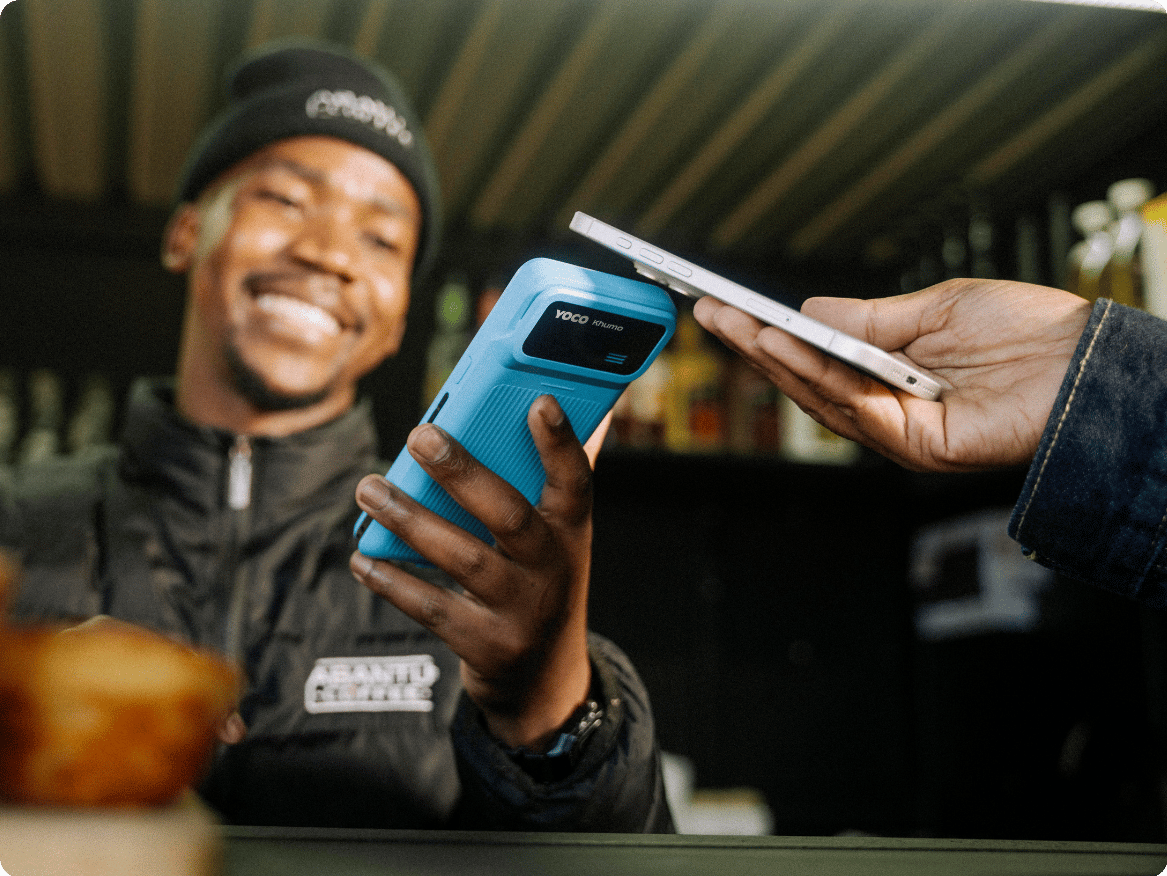
A card machine sends the payment to your provider, which routes it through the card network to the bank that issued the card, and the answer comes back in a few seconds. Four parties are involved, which, in South Africa, is called the four-party model.
Role in the transaction |
|---|
The customer (cardholder) Presents the card or digital wallet to pay. |
You (the merchant) Accept the payment using the card machine. |
The payment provider, also called the acquirer The company that processes the payment on behalf of your business and settles the money to you. |
The issuer The bank or institution that issued the customer's card decides whether to approve or decline the payment. |
Party | Role in the transaction |
|---|---|
The customer (cardholder) | Presents the card or digital wallet to pay. |
You (the merchant) | Accept the payment using the card machine. |
The payment provider, also called the acquirer | The company that processes the payment on behalf of your business and settles the money to you. |
The issuer | The bank or institution that issued the customer's card decides whether to approve or decline the payment. |
A typical card payment follows this path:
The payment amount is entered on the card machine, either by hand or sent from a connected point of sale system.
The customer taps, inserts or swipes their card, or taps a supported digital wallet.
The card machine sends the payment details to your payment provider.
Your provider routes the request through the relevant card network, such as Visa or Mastercard, to the issuer, which is the customer's bank.
The issuer checks whether the card is valid, the account has funds and the payment passes security checks.
The issuer sends an approval or a decline back through the network to the card machine.
The card machine shows the result. If it's approved, you can complete the sale.
This entire process takes a few seconds. The card network acts as the routing layer between the acquirer and the issuer but is not itself a bank.
The Payments Association of South Africa explains these roles in more detail.
Does an approved payment mean the money is in your bank account?
No. Approval means the issuer has confirmed the payment can go ahead, but the money hasn't reached your bank account yet.
After approval, the payment goes into a clearing and settlement process. Your payment provider batches approved transactions and settles the funds to you on its payout schedule. Payout timing varies by provider. Some pay out the next business day and others take longer.
That difference matters when you reconcile. The amount shown on the card machine won't always match a single bank deposit, because one payout can cover more than one transaction and fees or adjustments may be taken off it.
Payment methods a card machine accepts

Card machines accept contactless taps, chip and PIN, magnetic stripe swipes and digital wallets, and which of those you get depends on the device, your payment provider and the card networks it supports.
How the customer pays |
|---|
Contactless (tap) The customer taps a card, phone or watch near the card machine's NFC reader. |
Chip and PIN The customer inserts the card's chip into the reader and enters a PIN. |
Magnetic stripe (swipe) The customer swipes the card's magnetic strip through a slot on the device. |
Digital wallet The customer taps a phone or watch running Apple Pay, Samsung Pay, Google Pay or another supported wallet. |
Party | How the customer pays |
|---|---|
Contactless (tap) | The customer taps a card, phone or watch near the card machine's NFC reader. |
Chip and PIN | The customer inserts the card's chip into the reader and enters a PIN. |
Magnetic stripe (swipe) | The customer swipes the card's magnetic strip through a slot on the device. |
Digital wallet | The customer taps a phone or watch running Apple Pay, Samsung Pay, Google Pay or another supported wallet. |
Chip and contactless payments offer stronger security than the magnetic stripe (swipe), so the stripe is the method you're least likely going to need. Confirm which methods your provider and your device support before you buy.
Is a card machine with a screen the same as a point of sale system?
No. A card machine and a point of sale system do different jobs. They can work together, and they can both run on the same device, but they are not interchangeable.
Card machine | Point of sale system |
|---|---|
Primary job Accept and process an electronic payment. | Primary job Record the sale and manage the business information around it. |
Knows what was sold Only the payment amount. | Knows what was sold The specific products or services, if entered. |
Records cash sales Usually not. | Records cash sales Yes |
Tracks stock No | Tracks stock Yes, if stock features are included and configured. |
Creates sales reports Payment transaction records only. | Creates sales reports Sales by product, time, staff, payment method and location. |
Manages staff access No | Manages staff access Yes, with individual profiles and permissions. |
Card machine | Point of sale system | |
|---|---|---|
Primary job | Accept and process an electronic payment. | Record the sale and manage the business information around it. |
Knows what was sold | Only the payment amount. | The specific products or services, if entered. |
Records cash sales | Usually not. | Yes |
Tracks stock | No | Yes, if stock features are included and configured. |
Creates sales reports | Payment transaction records only. | Sales by product, time, staff, payment method and location. |
Manages staff access | No | Yes, with individual profiles and permissions. |
A card machine is enough when you know what to charge and you just need to take the payment. A point of sale system is worth adding when you also want to track what was sold, manage stock, control staff access or pull end-of-day reports.
Can one device be a card machine and a point of sale system?
Yes. Some devices run point of sale software and accept card payments on the same hardware, so your staff build the order and take the payment on one screen. The device takes a card tap and also lets staff select products, apply discounts, record cash payments and view reports.
The card machine and point of sale remain distinct functions even when they share a screen. The point of sale records the sale. The payment function processes the electronic payment. If the payment is declined, the sale stays open on your point of sale, until you use another payment method or cancel the transaction.
Card machine cost in South Africa
Card machine hardware costs and ongoing fees in South Africa are charged as an upfront cost plus a percentage of every card sale, paid by your business and typically taken off your payout rather than invoiced separately. The rate depends on your provider and your plan, and some providers drop the rate at higher volumes. Ask whether a quoted rate includes or excludes VAT.
The cost of a card machine has three layers, and comparing only the device price won't tell you what it costs to run.
What to check |
|---|
Device price The once-off purchase price or the monthly rental for the hardware itself. |
Transaction fees The percentage charged on every card payment, typically 1.8% to 2.85% blended across banks and other providers in South Africa, on a 60% debit and 40% credit mix, paid by your business. |
Additional costs Connectivity (SIM or data), software subscriptions if point of sale features are included, receipt paper, support, and replacement or repair fees. |
Cost layer | What to check |
|---|---|
Device price | The once-off purchase price or the monthly rental for the hardware itself. |
Transaction fees | The percentage charged on every card payment, typically 1.8% to 2.85% blended across banks and other providers in South Africa, on a 60% debit and 40% credit mix, paid by your business. |
Additional costs | Connectivity (SIM or data), software subscriptions if point of sale features are included, receipt paper, support, and replacement or repair fees. |
Transaction fees are your largest ongoing cost. A cheap device with a high percentage rate can cost more over time than an expensive device with a lower rate. Compare devices on total cost at your realistic monthly card volume, not on upfront price alone.

:format(webp))
What South African businesses should consider
Check six things once you know the rate: how the device connects, whether you're locked into that provider's hardware or contract, when payouts land, which cards and wallets it takes, what support you get and how receipts are issued.
What to ask or confirm |
|---|
Connectivity Card machines use Wi-Fi, mobile data (SIM) or both to reach your payment provider. Where the internet isn't reliable, a device with its own SIM and mobile data is more reliable than one that depends on your Wi-Fi router. Some providers charge for connectivity - always ask if there are connectivity fees in addition to transaction fees. |
Portability and ownership Some card machine providers lock you into their bank account or charge a monthly rental fee. Ask whether choosing their card machine ties you to their bank account, whether you own the machine, and what monthly fees apply if you don't. |
Payout timing and costs Ask when money from approved payments reaches your bank account. Some providers pay out the next business day and others take longer. Faster payouts help with cash flow if you rely on daily revenue. Always ask if there are additional costs involved. |
Payment methods supported Confirm the device accepts the card types and digital wallets your customers use. Most South African providers support Visa, Mastercard, contactless and major digital wallets. American Express and Diners Club support varies. |
Local support Check whether the provider offers support during trading hours, how quickly a faulty device can be replaced and whether help is available by phone, chat or in person. |
Proof of purchase Under the Consumer Protection Act (No. 68 of 2008), you must provide proof of purchase when a customer requests it. Some card machines send digital receipts. Others rely on a connected printer or the point of sale system. |
What to check | What to ask or confirm |
|---|---|
Connectivity | Card machines use Wi-Fi, mobile data (SIM) or both to reach your payment provider. Where the internet isn't reliable, a device with its own SIM and mobile data is more reliable than one that depends on your Wi-Fi router. Some providers charge for connectivity - always ask if there are connectivity fees in addition to transaction fees. |
Portability and ownership | Some card machine providers lock you into their bank account or charge a monthly rental fee. Ask whether choosing their card machine ties you to their bank account, whether you own the machine, and what monthly fees apply if you don't. |
Payout timing and costs | Ask when money from approved payments reaches your bank account. Some providers pay out the next business day and others take longer. Faster payouts help with cash flow if you rely on daily revenue. Always ask if there are additional costs involved. |
Payment methods supported | Confirm the device accepts the card types and digital wallets your customers use. Most South African providers support Visa, Mastercard, contactless and major digital wallets. American Express and Diners Club support varies. |
Local support | Check whether the provider offers support during trading hours, how quickly a faulty device can be replaced and whether help is available by phone, chat or in person. |
Proof of purchase | Under the Consumer Protection Act (No. 68 of 2008), you must provide proof of purchase when a customer requests it. Some card machines send digital receipts. Others rely on a connected printer or the point of sale system. |
How a card machine connects to a point of sale system
A card machine can work alongside a point of sale system in two ways.
Standalone (not connected). The business enters the payment amount on the card machine separately. After the payment is approved, a staff member records the result in the POS manually. The two systems do not exchange information automatically.
Connected or integrated. The point of sale sends the payment amount to the card machine. The card machine processes the payment and returns the result to the point of sale. This reduces repeated entry and helps the sales record match the payment record.
Whichever way they're linked, the two stay distinct.
The point of sale system records what was sold and the card machine processes how your customer paid. So a payment problem is a question for your card machine or your provider, and a missing sale or a wrong product points back to your system.
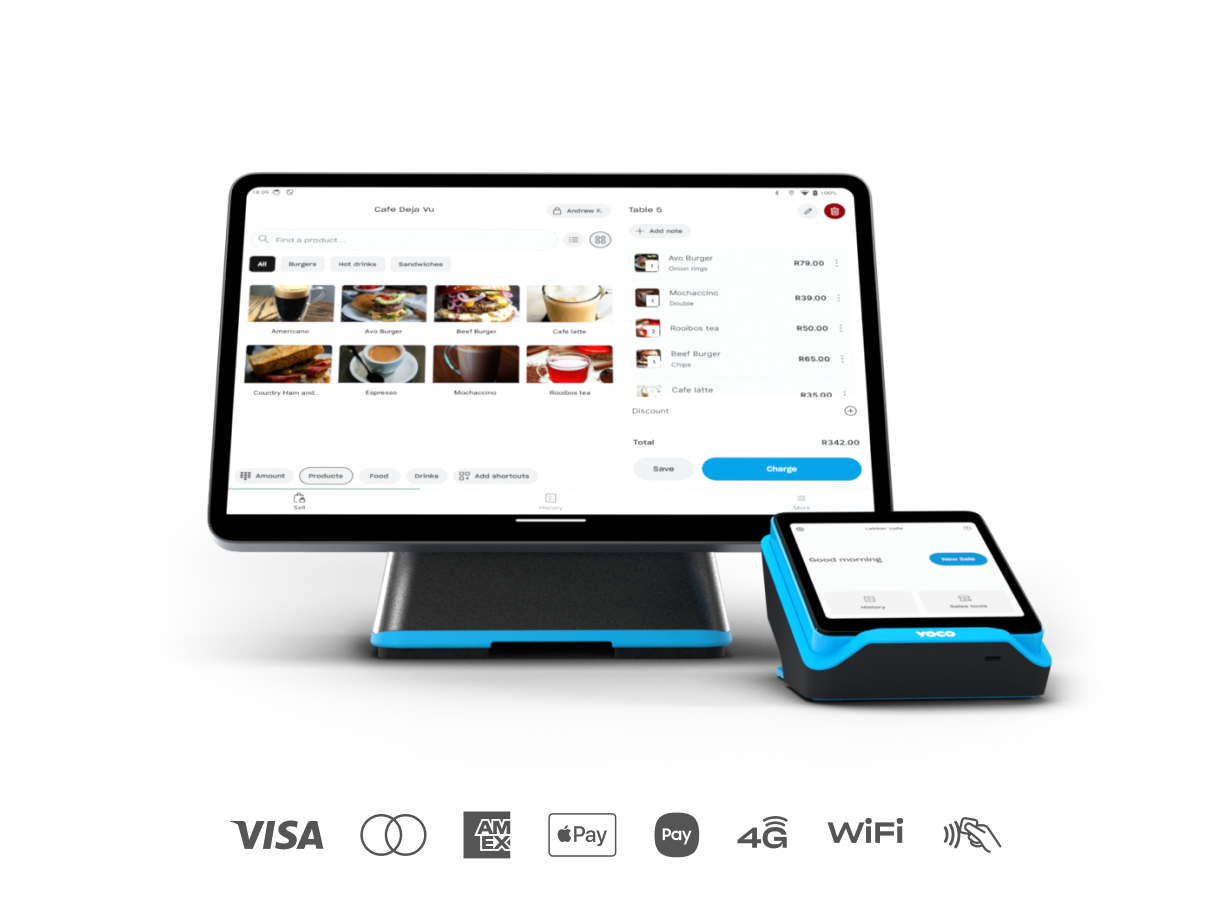
:format(webp))
:format(webp))
:format(webp))
:format(webp))